# Inviting new clients to book lessons

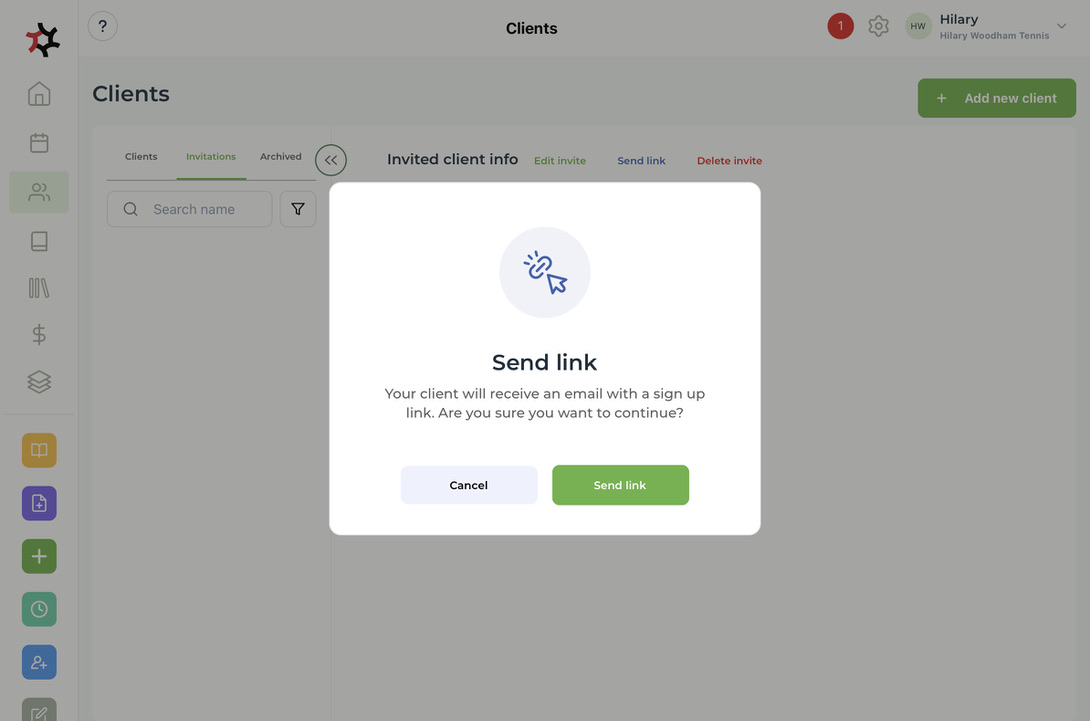
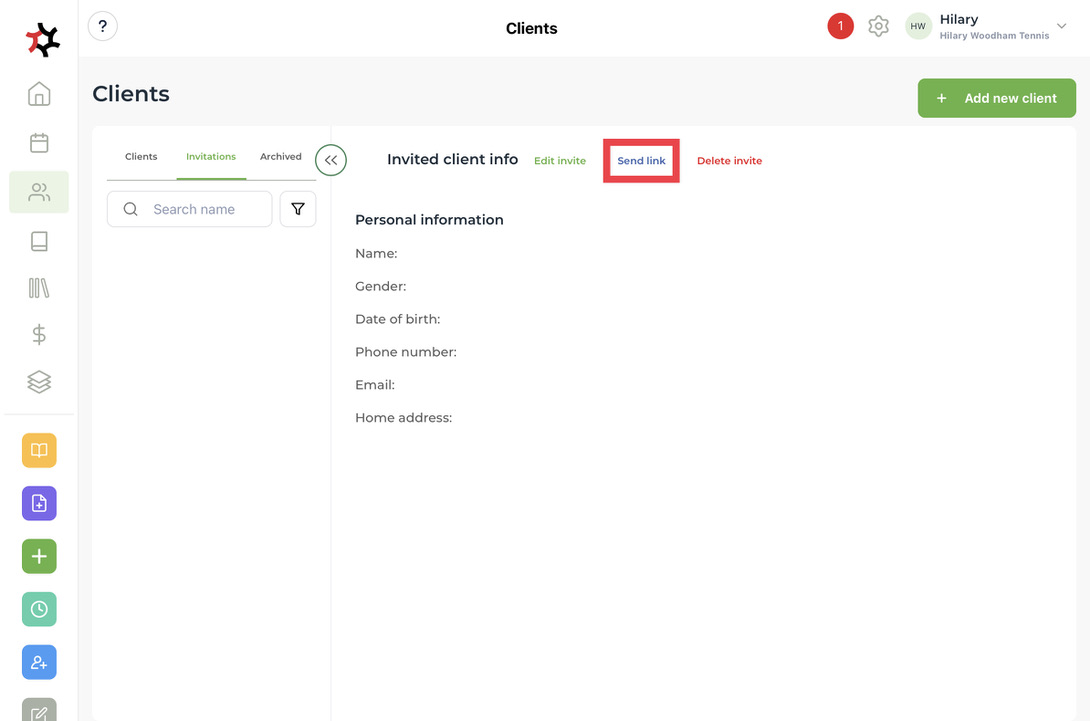
1. Once you have added [a new client](/coaches/support-for-coaches-organisations/welcome-to-totalcoach-support/manage-clients/add-a-new-client-profile.md) you can invite them to book lessons via your online booking page by selecting **Send link**.

   <figure><img src="/files/Vp8ejR4vWKvXzm77uztk" alt=""><figcaption></figcaption></figure>

<figure><img src="/files/c70kjSVW7wRrqeLieTFi" alt=""><figcaption></figcaption></figure>

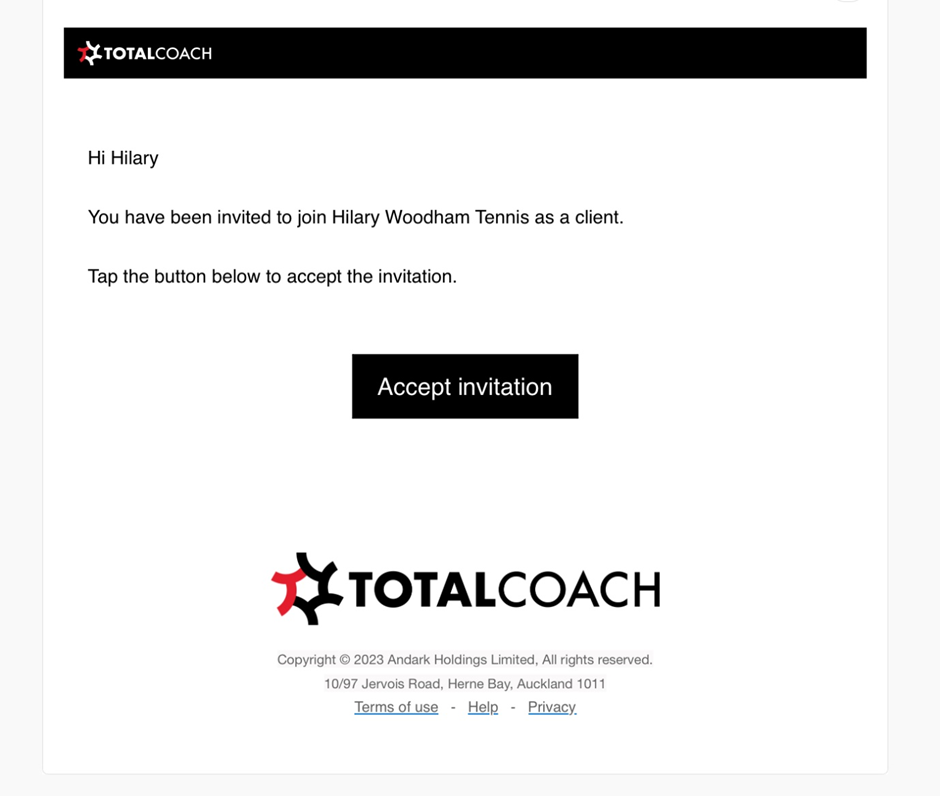
2. The client will then receive an email, allowing them to accept the invitation.&#x20;

<div align="left"><figure><img src="/files/ZNTY14kxAj08YhGOaA2t" alt="" width="563"><figcaption></figcaption></figure></div>

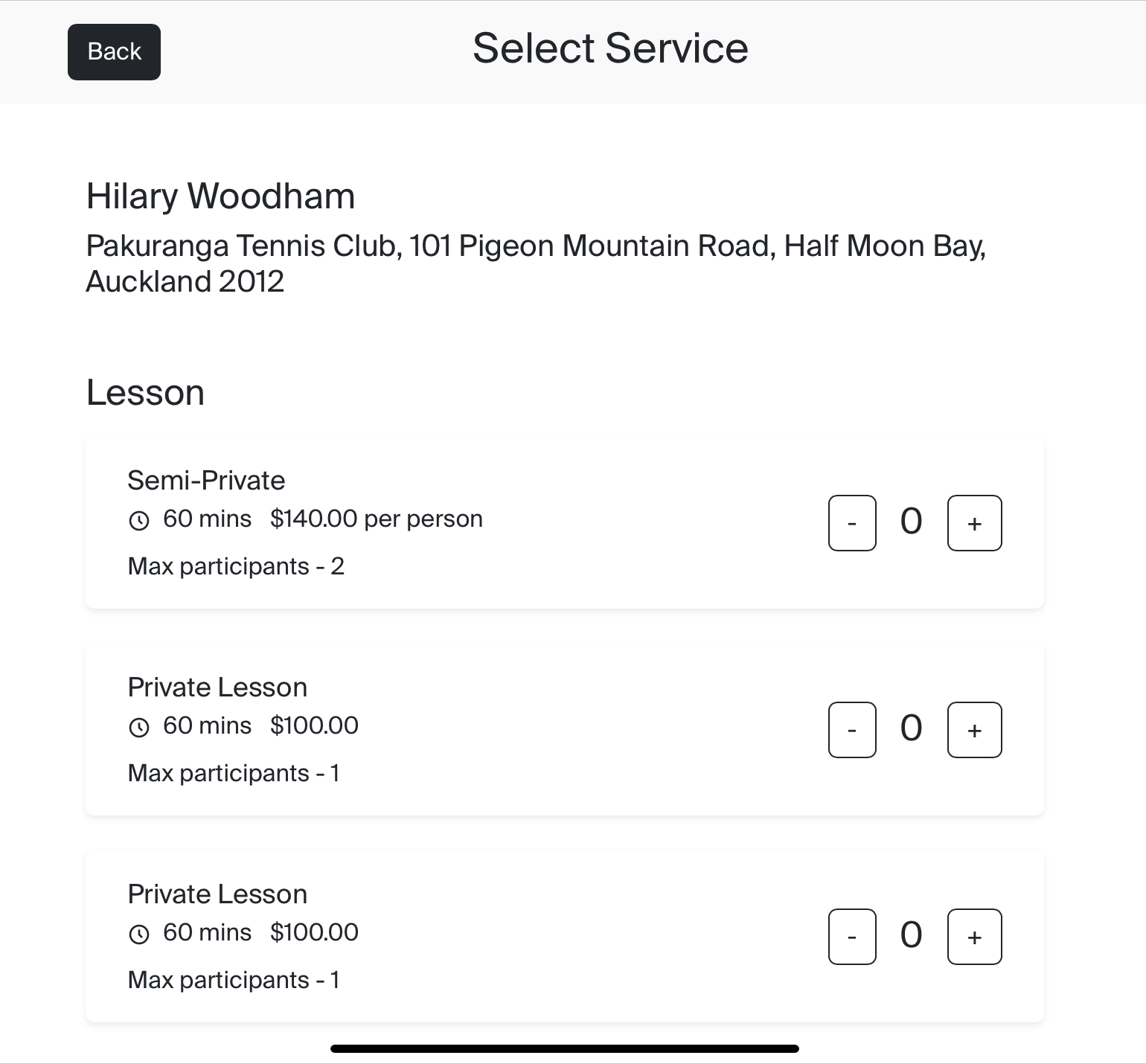
3. Your client can then create an account and book your services via your online booking page.
<div align="left"><figure><img src="/files/GhLFKXOtuH9P6OMsOOq4" alt="" width="563"><figcaption></figcaption></figure></div>


---

# Agent Instructions: Querying This Documentation

If you need additional information that is not directly available in this page, you can query the documentation dynamically by asking a question.

Perform an HTTP GET request on the current page URL with the `ask` query parameter:

```
GET https://support.totalcoach.com/coaches/support-for-coaches-organisations/welcome-to-totalcoach-support/setting-up-your-workspace/inviting-new-clients-to-book-lessons.md?ask=<question>
```

The question should be specific, self-contained, and written in natural language.
The response will contain a direct answer to the question and relevant excerpts and sources from the documentation.

Use this mechanism when the answer is not explicitly present in the current page, you need clarification or additional context, or you want to retrieve related documentation sections.